Why the Spacebar Is the Most Pressed Key
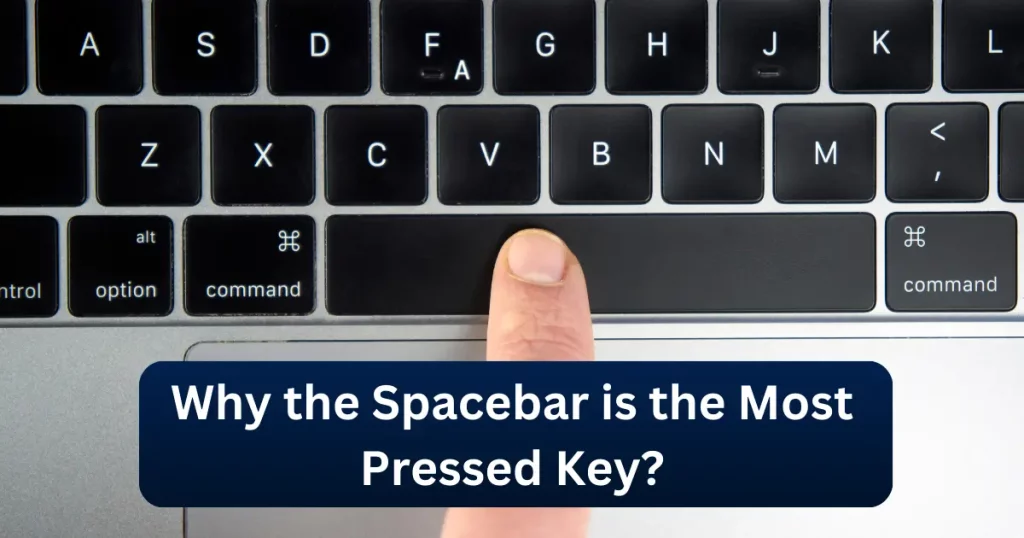
The spacebar is easy to overlook because pressing it becomes almost automatic when we type. But in normal English text entry, the space character appears more frequently than any individual letter. One large text-entry dataset found spaces represented about 18% of the characters in the corpus.
That helps explain why the spacebar receives so much use compared with most other keys. If you want to turn those everyday presses into a speed challenge, try our Space bar Clicker and see how many times you can press the key within 5, 10, 30, or 60 seconds.
Is the Spacebar Really the Most-Pressed Key?
For normal English typing, there is good evidence that the spacebar is among the most frequently pressed keys and can reasonably be described as the most frequently used character key. Researchers analyzing a large English text-entry corpus found that the space character represented approximately 18% of all input characters.
That makes sense when you consider how written language works. Most words need to be separated from the words before and after them. As a result, spaces appear throughout almost every sentence, message, search query, email, article, and document. Microsoft has also previously referred to internal keyboard research in which the spacebar was the most frequently pressed key, followed by the letter E, with Backspace ranked third.
However, keyboard usage is not identical for everyone.
The most-used key can vary depending on:
- Language
- Type of work
- Software
- Gaming habits
- Keyboard shortcuts
- Programming
- Accessibility needs
So it is more accurate to say that the spacebar is one of the most frequently used keys and is especially dominant during normal English text entry.
Why Do We Press the Spacebar So Often?
The main reason is simple: words need separation.
Consider this sentence:
The spacebar is easy to use.
There are six words, which means several space characters are needed just to separate them.
Now imagine typing:
- A long email
- A school assignment
- A blog post
- A social-media caption
- A chat conversation
- A search query
- A report
Every new word normally creates another spacebar press.
Those presses accumulate quickly. Unlike a letter such as Q or Z, which may appear only occasionally, spaces are required throughout ordinary text.
How Common Is the Space Character?
One large English-language corpus used in text-entry research contained more than 500 million characters.
The researchers found that spaces accounted for roughly 18% of the input.
In simple terms, that means approximately:
18 out of every 100 characters were spaces.
The exact percentage will change depending on the language and text being analyzed, but the figure illustrates why the spacebar receives so much use during English typing. It also helps explain why comparing the spacebar with individual letters such as E or A is slightly different from comparing two ordinary letter keys.
A space separates words rather than representing a particular sound or letter.
Why Is the Spacebar So Large?
The spacebar is usually the largest key on a standard keyboard.
That is intentional.
During touch typing, you should be able to press the spacebar without looking away from the screen.
Its wide shape gives both thumbs convenient access while the fingers remain positioned over the main typing keys.
A small space key would require much more accurate targeting and could interrupt typing rhythm.
The large design therefore makes sense for a key that is used so frequently.
Which Thumb Should Press the Spacebar?
Traditional touch-typing instruction allows the thumb to operate the spacebar.
In practice, people develop different habits.
Some use primarily the:
- Right thumb
- Left thumb
- Thumb from the opposite hand to the last typed letter
Microsoft has previously cited research suggesting that many typists favor the right thumb when pressing the spacebar. There is no need to change your natural typing technique simply because another person uses a different thumb.
For everyday typing, comfort and consistency matter more.
Why Does the Spacebar Use Stabilizers?
A normal letter key is relatively small.
The spacebar is much wider.
If such a large key used only a standard switch or mechanism in the center, pressing near the left or right side could make the key feel uneven.
That is why many keyboards use stabilizers under longer keys such as:
- Spacebar
- Enter
- Shift
- Backspace
Stabilizers help the key travel more evenly when you press different areas of the keycap. This also means the spacebar can feel different from ordinary letter keys. If you are interested in how stabilizers, switches, actuation force, and key travel affect repeated tapping, see our Best Keyboard for Spacebar Clicking guide.
Why Can an Older Spacebar Feel Different?
A heavily used spacebar may gradually feel different from other keys.
Possible causes include:
Dust and Debris
Because the spacebar covers a relatively large area, dirt or debris around the key can sometimes affect movement.
Stabilizer Noise
Stabilizers may develop additional rattle or noise over time.
Keycap Wear
Frequently touched keycaps can gradually become smoother or shinier.
Switch or Mechanism Wear
Like other mechanical components, keyboard switches and mechanisms can change after extensive use. However, you should not automatically assume that a spacebar feels different simply because it is supposedly “the most-used key.”
Keyboard construction, cleaning, switch quality, typing force, and age can all contribute.
Does Pressing the Spacebar Harder Make It Register Better?
Usually, no. Once a key has moved far enough to activate its switch or keyboard mechanism, additional force is not required for a normal input.
Pressing considerably harder does not make the computer process the key faster. For repeated tapping, controlled presses are generally more comfortable than aggressively hitting the key.
This is especially relevant when using a Spacebar Clicker, where the goal is repeated pressing rather than producing one unusually forceful keystroke.
Why Is the Spacebar Popular in Games?
The spacebar is also widely used outside normal typing.
Game developers often assign important actions to it because the key is:
- Large
- Easy to reach
- Easy to locate without looking
- Convenient for the thumb
- Separate from most movement keys
One of its most familiar gaming functions is jumping.
Depending on the game, it may also be assigned to actions such as:
- Dodge
- Confirm
- Interact
- Boost
- Handbrake
- Special movement
However, there is no universal rule.
Modern games often allow players to customize their key bindings. This means gaming does not prove that the spacebar is the most-used key for every player, but it does give the key another important role beyond typing.
Does Fast Spacebar Clicking Help in Games?
Sometimes, but raw tapping speed should not be confused with overall gaming ability. Games usually depend on much more than how many times you can press one key per second.
Important skills can include:
- Timing
- Accuracy
- Movement
- Aim
- Decision-making
- Positioning
- Game knowledge
Some situations may involve repeated spacebar presses, while others require one correctly timed press. Our guide to spacebar clicking speed and gaming performance explains this distinction in more detail.
Why Is the Spacebar Useful for Speed Tests?
The same qualities that make the spacebar practical for typing also make it suitable for a simple browser speed test.
It is:
- Large
- Easy to locate
- Familiar
- Comfortable to reach
- Available on almost every physical keyboard
A timed test can therefore ask a very simple question:
How many times can you press the spacebar within a fixed period?
For example:
70 presses in 10 seconds = 7 CPS
CPS means presses or clicks per second.
Our Spacebar Clicker uses this format to measure repeated keyboard tapping speed.
If you want to understand how your score compares with available benchmarks, see our Average Spacebar Clicks guide.
Spacebar Use vs Spacebar Clicking Speed
Frequently using the spacebar while typing does not necessarily mean you will achieve a high spacebar CPS score.
The two activities are different.
During typing, the spacebar appears naturally between words.
During a speed test, you repeatedly press the same key as quickly and consistently as possible.
A fast typist may therefore have an ordinary Spacebar Clicker score, while someone who practices repeated tapping may achieve a high CPS without being an especially fast typist.
The tests measure different skills.
Spacebar Clicker vs Spacebar Counter
Our Spacebar Clicker measures how rapidly you can press the key during a timed test.
Our Spacebar Counter simply keeps a running total of your presses without requiring a timer. Use the Clicker when you want to answer:
How fast can I press the spacebar?
Use the Counter when you want to answer:
How many times have I pressed it?
The distinction keeps the two tools useful for different purposes.
How to Check Whether Your Spacebar Is Registering Properly
If your spacebar occasionally seems to miss presses, start with a simple test. Open our Spacebar Counter and make 20 slow, deliberate press-and-release actions.
Watch whether the counter increases once for each intended press.
If some presses consistently fail to register:
- Test the spacebar in another application.
- Refresh the browser.
- Try another browser.
- Check the keyboard for dirt or obvious obstruction.
- Try another keyboard if one is available.
A browser counter cannot diagnose a hardware fault, but it can help you determine whether inconsistent registration is worth investigating.
Spacebar vs Other Frequently Used Keys
The spacebar is not the only heavily used keyboard key.
Depending on what you do, other commonly used keys can include:
E
E is generally considered the most frequently occurring letter in English text.
Backspace
Backspace receives heavy use because it is used to correct mistakes while typing.
Enter
Enter is common in messaging, forms, documents, terminals, and many software interfaces.
Shift
Shift is frequently used for capital letters and keyboard shortcuts.
Ctrl / Command
People who rely heavily on shortcuts may use Ctrl on Windows or Command on macOS extremely frequently.
The important difference is that ordinary English text naturally contains a space between most words, making the spacebar unusually consistent across long passages of text.
Frequently Asked Questions
Is the spacebar really the most-used keyboard key?
During normal English text entry, evidence supports the space character being more frequent than any individual letter. One large corpus found spaces accounted for roughly 18% of input. However, actual keyboard usage varies by language, activity, and user.
Is the spacebar used more than the letter E?
In the English text-entry dataset discussed above, yes. Space was more frequent than any individual letter, including E.
What percentage of typing is the spacebar?
One large English text-entry corpus found space characters represented approximately 18% of input. This should be treated as a corpus-specific benchmark rather than a universal percentage for every language and user.
Why is the spacebar so big?
Its large size makes it easy for either thumb to reach without looking and helps maintain typing rhythm.
Why does my spacebar feel different from other keys?
Its larger keycap requires stabilizers on many keyboards, and its construction is different from that of ordinary letter keys. Dirt, stabilizer behavior, switch wear, and keyboard design can all affect how it feels.
Does pressing the spacebar harder make it faster?
No. Once the key registers, additional force does not make the input reach the computer faster.
Can I test whether my spacebar works properly?
Yes. An unlimited Spacebar Counter can help you check whether deliberate press-and-release actions are being registered consistently.
How can I test my spacebar speed?
Use a timed Spacebar Clicker and compare several attempts using the same timer, keyboard, and technique.
Why the Spacebar Matters
The spacebar looks simple, but its design reflects how important word separation is to written language. English text-entry research has found the space character can account for roughly one-fifth of normal input, helping explain why the spacebar is so prominent, wide, and easy to reach.
Its role in gaming and browser speed tests gives it even more uses beyond ordinary typing. If you want to see how quickly you can press it rather than how often you use it, try our Spacebar Clicker, complete several attempts, and compare your results using the same timer.
